
Tailwind classes typed in the content now reach the storefront
Pull request #1611 is merged: Tailwind and DaisyUI work in CMS content, blog posts and product descriptions, and the code editor tells whether a class exists. What changes and what it needs.
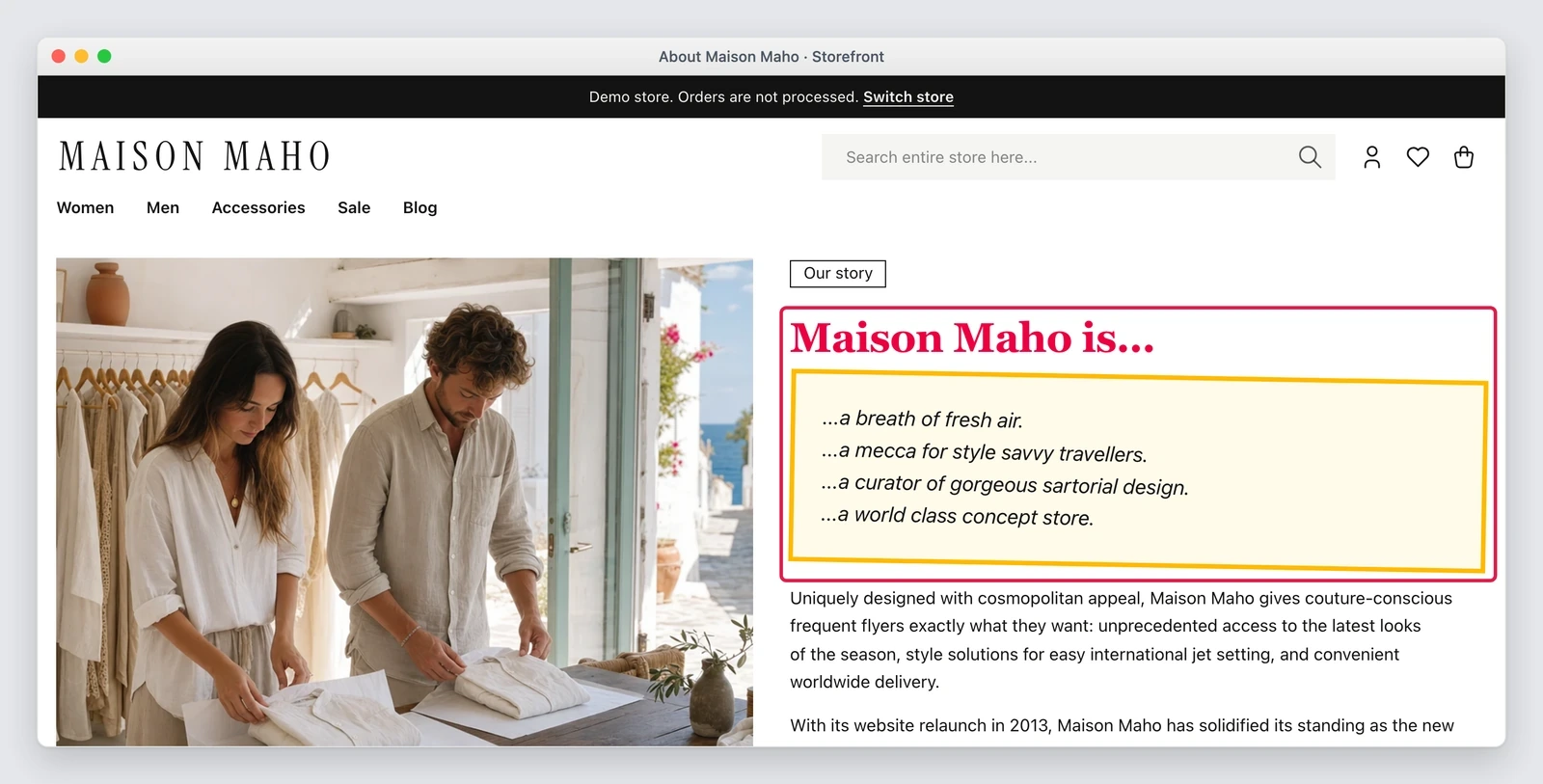
Whoever writes the content of a store knows the feeling: type a class, save, reload, nothing happens. A Tailwind class exists in the stylesheet only if a template already used it, so the editor has to ask a developer to add it to the theme. Pull request #1611 by fballiano was merged on 26 October 2026 and changes that rule: classes typed in the content enter the style of the theme.
What changed
The scope is wide and covers the places where content is really written: CMS pages, static blocks, blog posts, widgets, custom variables, checkout agreements, the footer fields of the theme, product and category descriptions. In all of them you can use Tailwind and DaisyUI classes, and the result shows on the storefront.
Two conveniences that change the daily work:
- the Preview pane of the fullscreen page builder shows a new class at once, before saving;
- on a server with Node.js installed, saving the content prepares the stylesheet on its own. No deploy to wait for.
If you prefer to drive it yourself, the command does the same work at once, for example in a deploy script:
# prepare the theme stylesheet with the classes that the content holds
./maho theme:content:build
The editor tells you whether a class exists
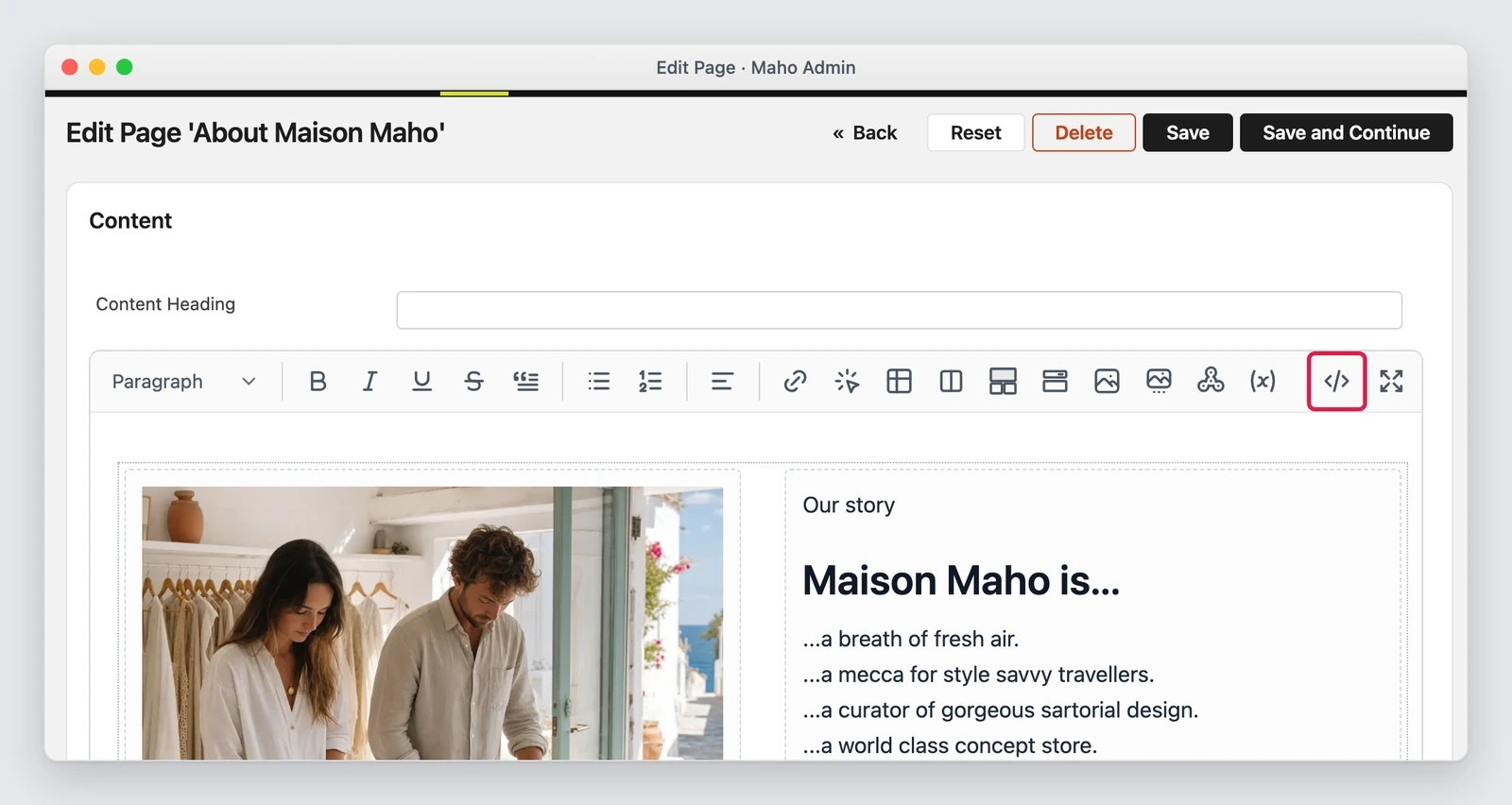
The toolbar of the Content tab has a Source button, also in the fullscreen page builder: it shows the HTML in place of the rich text, inside a code editor.
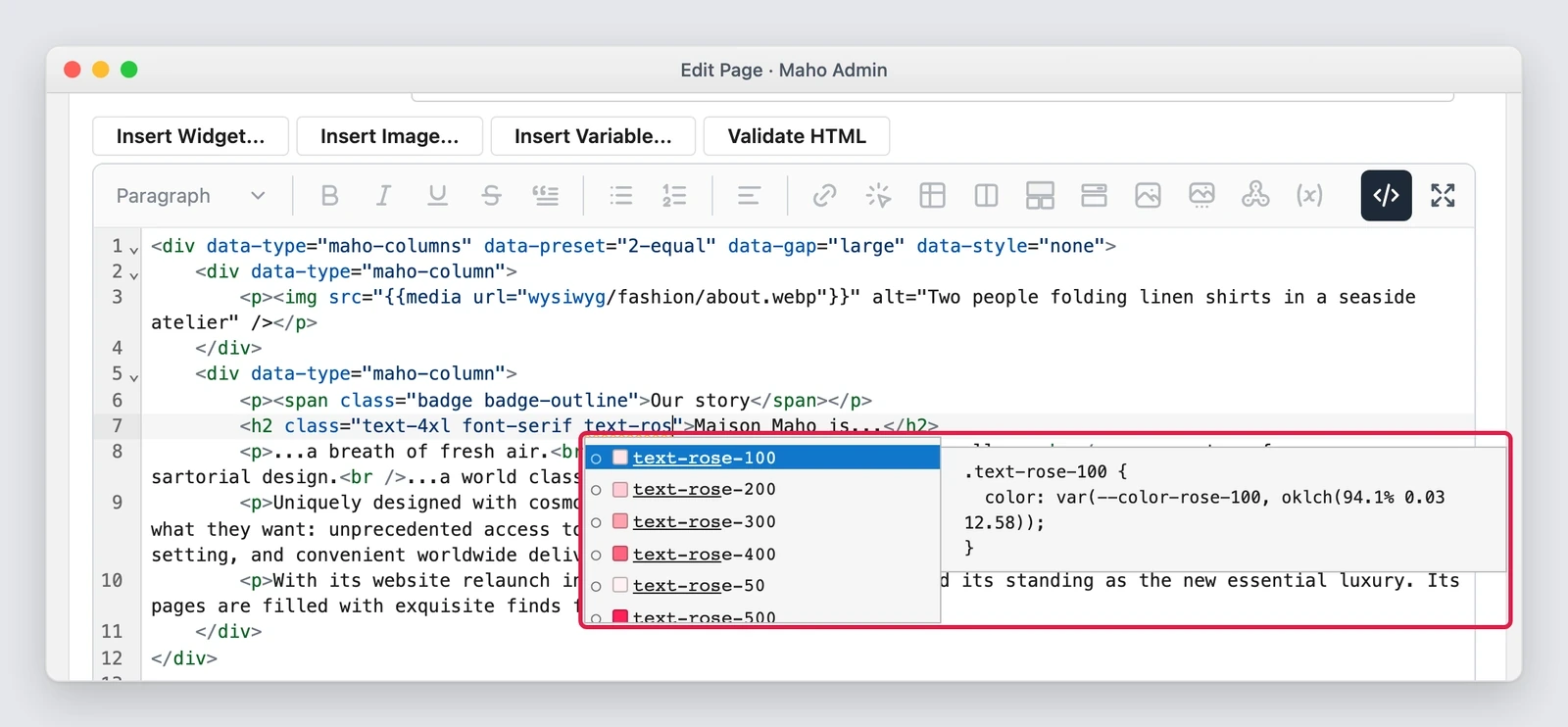
Inside a class attribute the editor completes the Tailwind and DaisyUI classes of the theme and flags
a class that the storefront does not style. A colour class has its own swatch, and the panel shows the
CSS of the selected entry. When a class has a shorter form, such as h-[100%] instead of h-full, a
suggestion appears with a button that replaces it.
The badge of a column or of a cell of the page builder has Settings, Source and Delete buttons, and Source opens the HTML of that element only. The Show or Hide Editor button under content fields is gone, because the Source button does the same.
Why it matters
The classes go into the same stylesheet as the theme, not into a second file: that is what keeps the look of the store together. A second file would let a class typed in the content override a theme class in an unpredictable way. The result is a store where whoever writes can build a page without touching the theme, and without breaking the order of the rules.
What it needs
- Node.js and the Tailwind CLI on the server, with
npm install, and a queue worker that can reach them. Without a worker the preview shows a new class but the storefront does not, and flushing the cache does not help. mahocommerce/maho-composer-plugin5.2, which this version of Maho requires.- An extension that clicks
#toggle<field id>or callsgetToggleButton()has to change, because that button no longer exists.
What may not work
- A script that writes content with SQL does not start the preparation: run the command by hand afterwards.
- The class check reads the
css/styles.cssof the package, so a DaisyUI class that only the prepared copy has shows as unknown. - The preparation keeps the current copy and the previous one, so a page cached from two builds ago points to a deleted file until the cache refreshes.
- In the preview, a DaisyUI class that the prepared copy does not have stays without style.
- Every copy holds the classes of all stores, not of one.
- The completion does not see the stylesheets of another origin, such as a CDN.
How to get it
After the upgrade, on a server where node_modules/.bin/tailwindcss exists, the cron prepares the copy
within 15 minutes and the storefront loads media/theme/<package>-<theme>-<hash>.css instead of
skin/frontend/<package>/<theme>/css/styles.css. A server without the Tailwind CLI keeps using the
file of the package.
Also in the pull request
- Save and Continue Edit on a blog post works again: the fallback names of the tabs did not match the tabs id of the post.
- The XML header and footer of a product feed use the same code editor, with line numbers, undo and search, in place of the coloured copy drawn behind the field.
- SVG images in the content no longer break with a 500 error, because the action that serves them reads them without GD and strips their scripts.
- The editor table no longer lets an icon in a narrow cell cover the text next to it.
Editor's note.Text prepared with the help of AI and checked against the source before publication. It can still contain mistakes: if you find one, report it.Read the manifesto
Source: MahoCommerce/maho#1611
Does your store still sell?
Tell us where you are starting from: we reply with a first assessment, no strings attached.
Ask for the store assessment